Click or drag to upload a Service Agreement Word Document
(must be ".docx" file, not a PDF)
DISCLAIMER: This tool is prone to mistakes if the formatting of the Service Agreement is not exact. After using, always do a quick review of the generated BIS to ensure no mistakes were made.
How To Use This Tool
Drag and drop your Service Agreement Word document into the upload area to generate a Building Inspection Sheet instantly. Then click the "Download BIS" button(s) to get your BIS as a Word document.
Please ensure the uploaded service agreement is a ".docx" file, not a ".doc" or ".pdf" file. To change a ".doc" file into ".docx", open it in Microsoft Word and save the file as a regular "Word Document".
If you get an "ERROR" message, read the instructions below on how to format the service agreement correctly.
If you get a "WARNING" message, you can download the BIS anyway, but you likely will have to edit it to fix mistakes.
FORMATTING GUIDELINES
This tool is used to convert a Service Agreement Word Document to a Building Inspection Sheet instantly. It requires some simple formatting of the Service Agreement in order to work correctly. Either follow this template to make your Service Agreement, or update an existing Service Agreement so that it follows the rules described below.
UPDATING STYLES
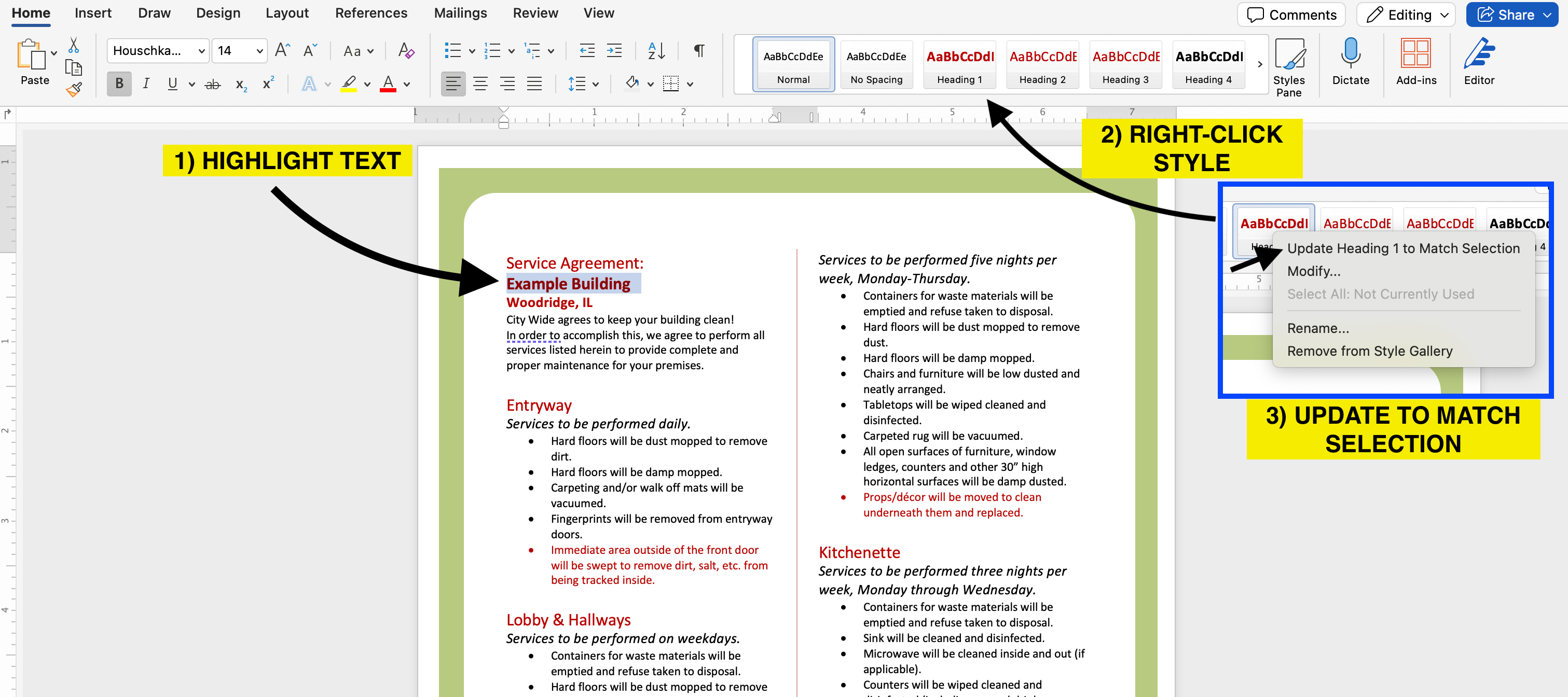
This tool requires you to set certain pieces of text, like the building name and area names, to certain styles located under the "home" tab.
To update styles as instructed in the upcoming steps, simply select the first piece of text you would like to update, right-click on the correct heading in the toolbar and select "Update Heading to Match Selection". Now that the style is set, select any other pieces of text you would like to update, and simply select the heading in the toolbar.
BUILDING NAME
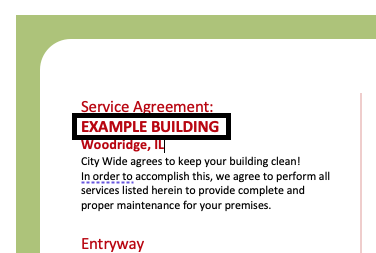
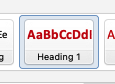
The name of the building as seen at the very beginning of the Service Agreement must be given "Heading 1" style.
If your document contains Service Agreements for multiple buildings, give "Heading 1" style to each building name and the generator will create multiple BISs.
BUILDING AREAS
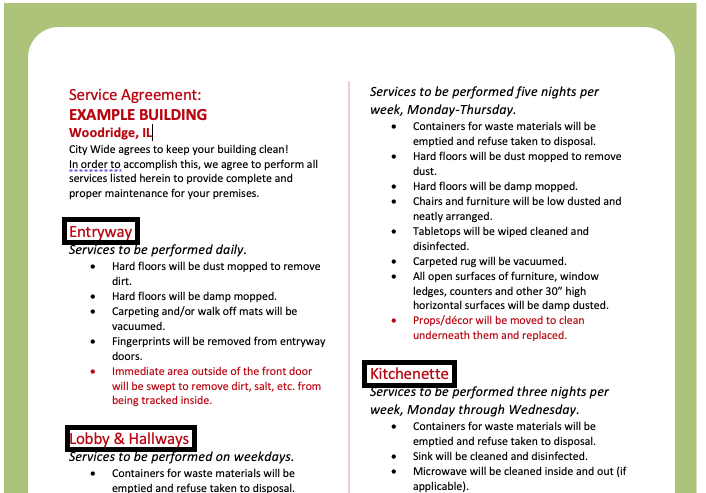
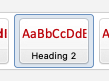
The name of each area to be cleaned must be given "Heading 2" style.
TEXT AFTER LAST AREA (optional)
This is not required but may help the generator read the document if it contains extra text after the main Service Agreement portion.
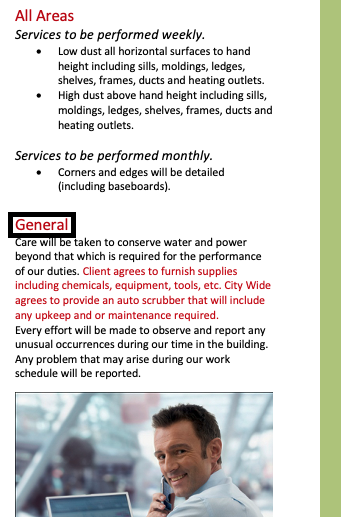
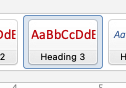
Find the first piece of text after the last building area and give it "Heading 3" style.
SECTION TITLES
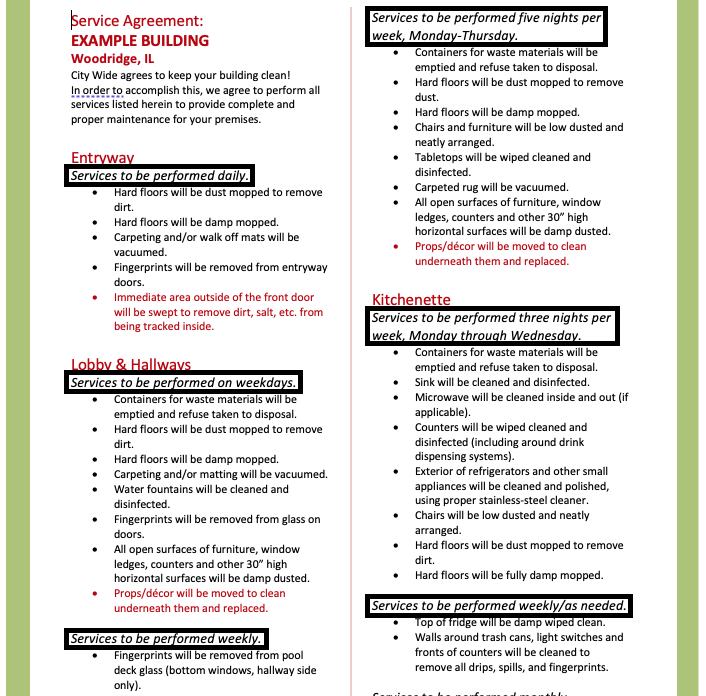
Each section title must be italicized.
Section Keywords
This tool is designed to recognize certain keywords from the section title to correctly identify which tasks get done on which days. The keywords this tool can recognize are as follows:
Individual days
Services to be performed Monday, Wednesday, Friday etc.
A span of days
Monday-Friday
Monday through Friday
All available days (will include any days that are included elsewhere in the document)
daily
every day
every night
every shift
Every day of the week (Monday-Sunday)
every day of the week
seven days a week
seven nights a week
seven times a week
Weekdays (Monday-Friday)
any text that contains the word "weekday"
Weekly
any text that contains the word "week"
Monthly
any text that contains the word "month"
Quarterly
any text that contains the word "quarter"
As needed (instead of leaving checkboxes open, "complete as needed" will be written in the checkbox space)
any text that contains the word "as needed"
WARNING: The following are examples that will not be recognized by this tool, as it has no way of knowing how to translate them to the BIS.
Services to be performed three days a week (please specify which days)
biweekly (will just register as "weekly", same goes for bimonthly or biquarterly)
twice per month (registers as "monthly")
once every two weeks (registers as "weekly")
once per year
Any line item that says somebody other than the IC will do the task (this tool will include it on the BIS as an IC task)
If any of your sections do not follow these keywords correctly, the generated BIS could be faulty. Please review every generated BIS carefully and correct mistakes.
LINE ITEMS
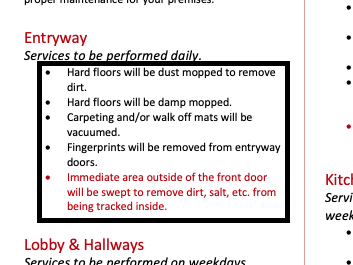
The line items under a section must be in a bulleted list.
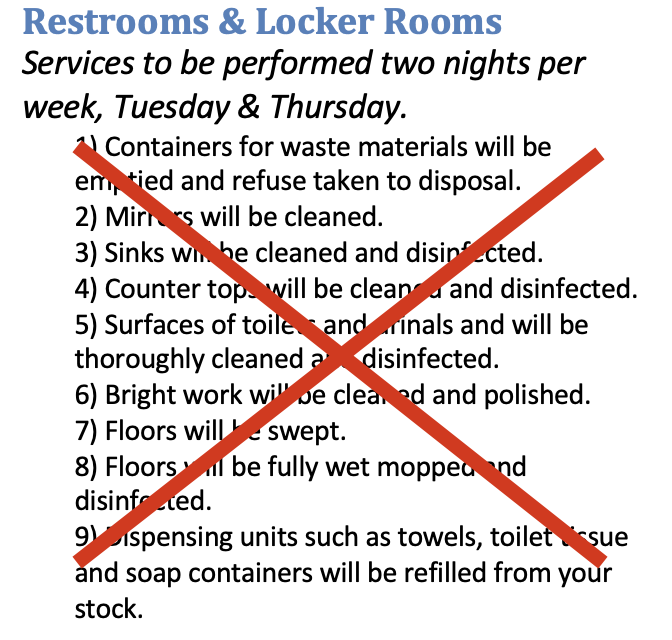
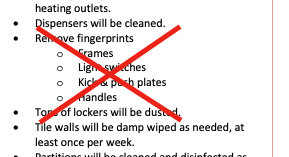
numbered line items, nested bullets, and other ways of writing line items will NOT be properly accounted for. if your Service Agreement includes them, please correct any errors in the generated BIS.